
troubleshooting:art_dtrack:synchronization_signal
Waiting for External Synchronization Signal
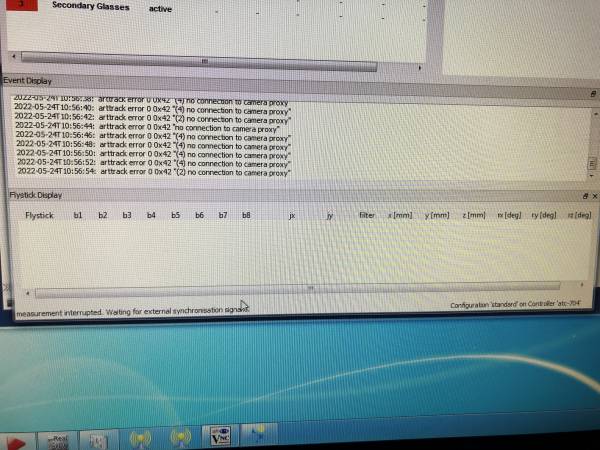
Problem: The Dtrack cameras do not connect, rebooting either the Dtrack server on the downstairs rack or the secondary servers on the mini-rack behind the center wall does not fix it.
Background: We experienced this problem after there was a “scheduled” power outage on campus in order to test our battery backup generators. This experienced this for the first time on May 23, 2022.
Fix: After troubleshooting with Jay Cochran at Mechdyne, the fix was to search for new hardware using the Dtrack software.
- Ensure that Dtrack is stopped. If necessary, close the program, relaunch it, but do not click start.
- Using the menus, click:
Dtrack2 > Search hardware (F2). - A screen pops up that says it will take up to 90 seconds, click Ok.
- Now on the main screen, click start again. It should work now.
troubleshooting/art_dtrack/synchronization_signal.txt · Last modified: by apenngrace